

Every repair in fixin for iPhone and iPad follows the same path: you show the app the problem, it tells you what it thinks is wrong, it writes the procedure for that specific fault, and it works through the job with you. The whole diagnosis runs on your device — no upload, no signal required.
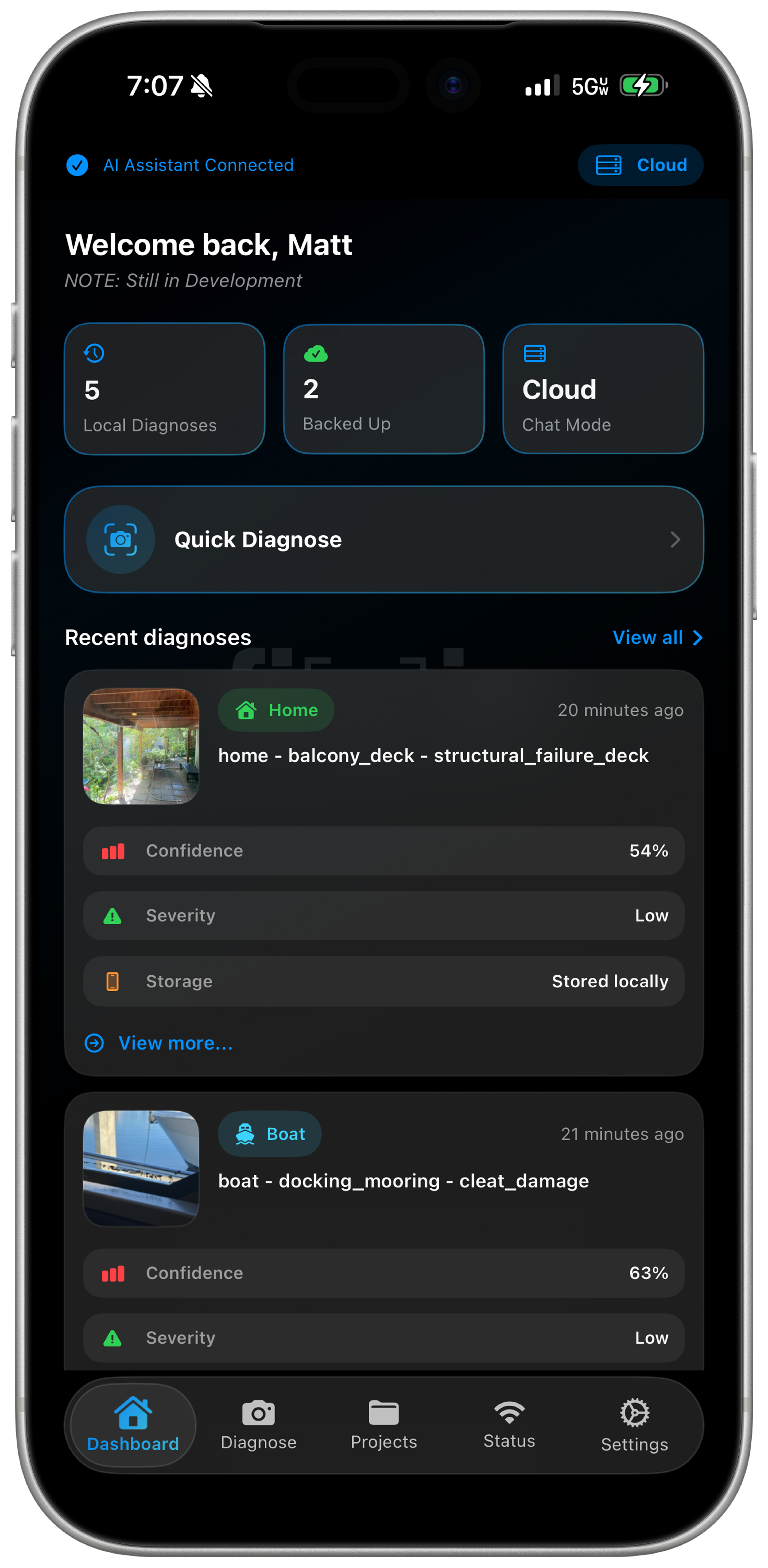
Open Quick Diagnose and photograph the problem — a warning light, a leak, a cracked fitting, a stain on a ceiling. Framing guides help you get a shot the model can actually read on the first try.
The image is classified on your device by the Ruby 3.9 engine. Nothing is uploaded to identify it, so the analysis works the same in a parking garage or a boatyard with no signal as it does on wifi.
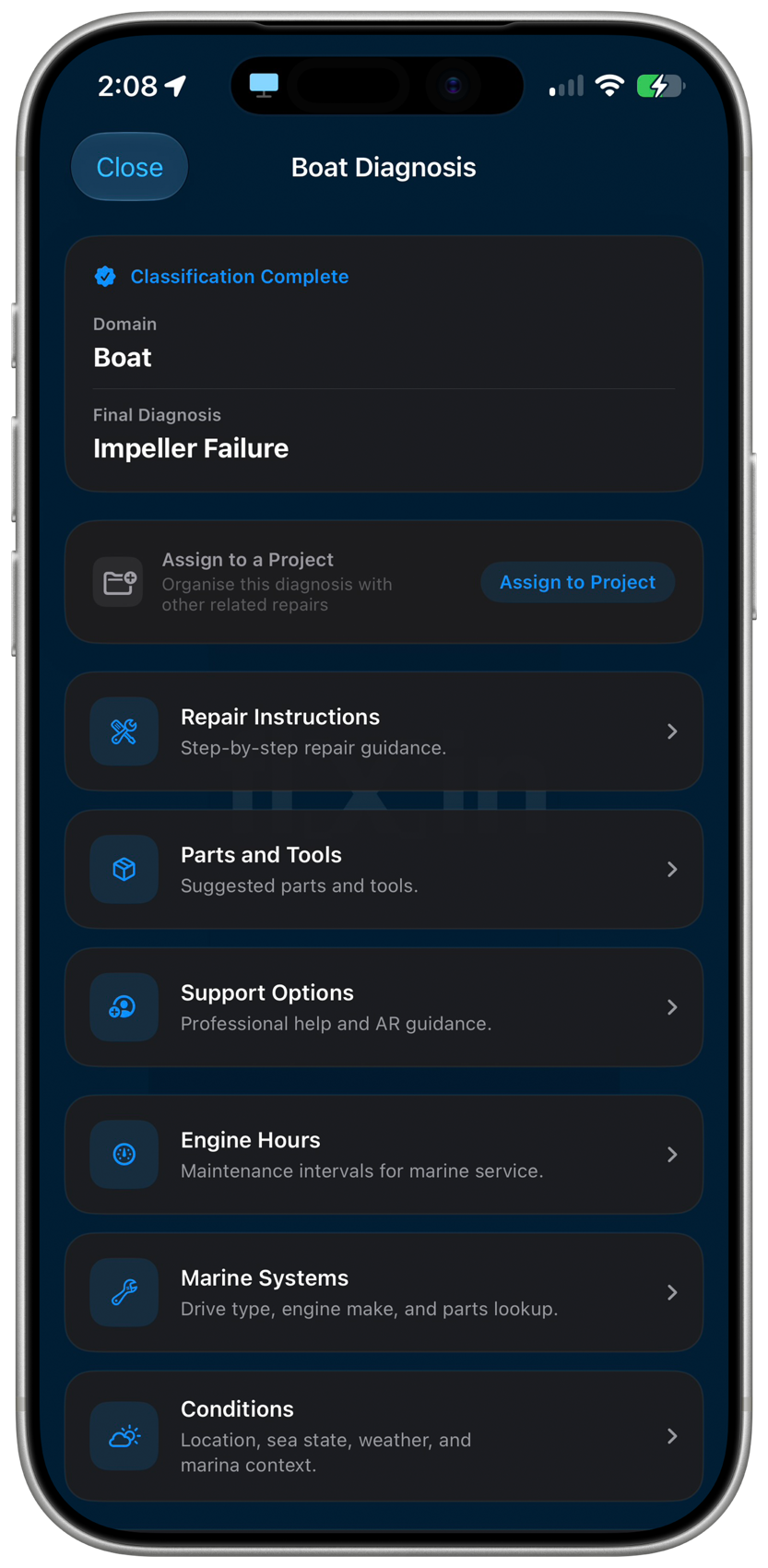
Classification comes back with the domain and the final diagnosis named outright — Boat, impeller failure — rather than a list of things it might be. From there the screen becomes the hub for the job: repair instructions, the parts and tools it calls for, and support options if you want a professional.
What sits below that adapts to the domain. A marine diagnosis surfaces engine hours, drive type, and sea conditions; a car surfaces OBD-II codes and service history. Assign the diagnosis to a project and it files itself with the other work on that boat, vehicle, or house.
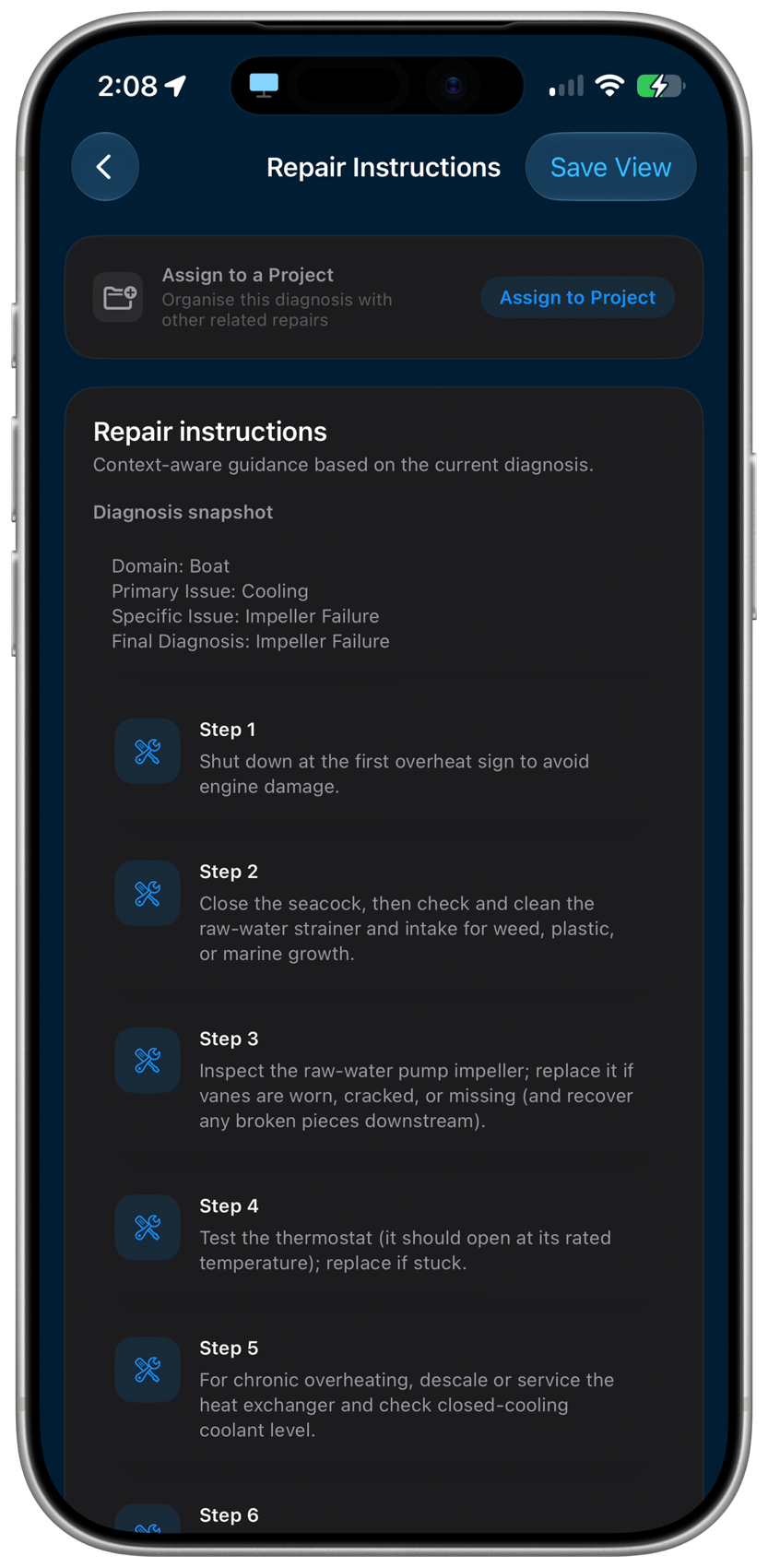
From the diagnosis, fixin writes the procedure for that fault — not a generic article for the category. Immediate safety actions come first, then the ordered steps, then the parts and tools the job actually calls for.
Part numbers, torque figures, and service intervals are pulled in where they apply, so you are not cross-referencing a forum thread halfway through the job.
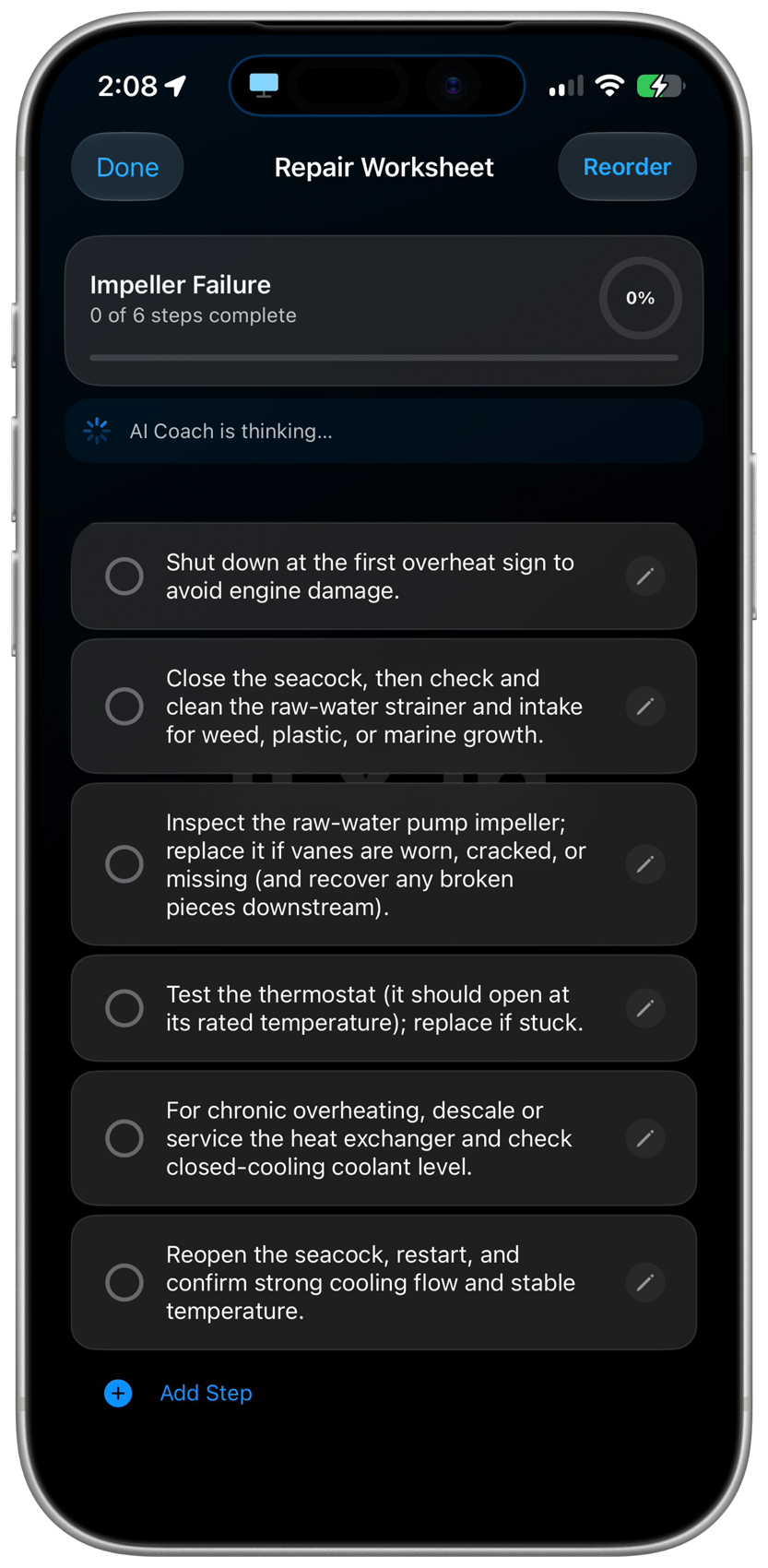
The instructions become a worksheet you actually work from. Tick each step off as you go and the progress ring tracks the job; reorder steps that make more sense in a different order, edit the wording for your own setup, or add a step the guide didn't know about.
The AI Coach stays available while you work, and the finished worksheet stays attached to the project — so next season there is a record of what was done. If the job turns out bigger than it looked, hirin hands it to a professional with the diagnosis already attached.
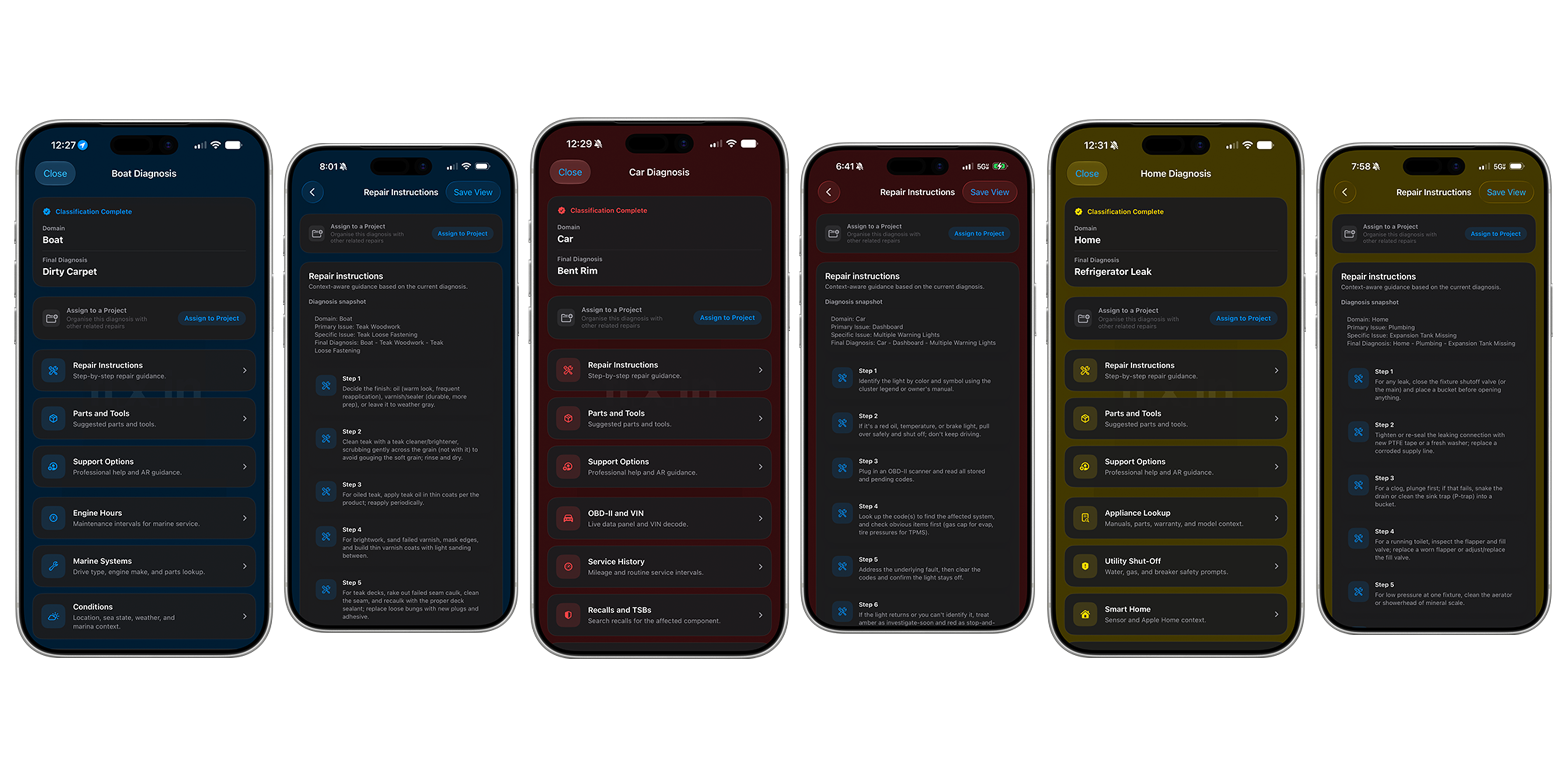
fixin for Android follows the same four steps as iOS. The screens are laid out for Android and a few things surface differently — confidence is broken out at every level of the classification, and a worksheet can be exported to PDF — but the engine, the diagnosis, and the repair flow are the same.
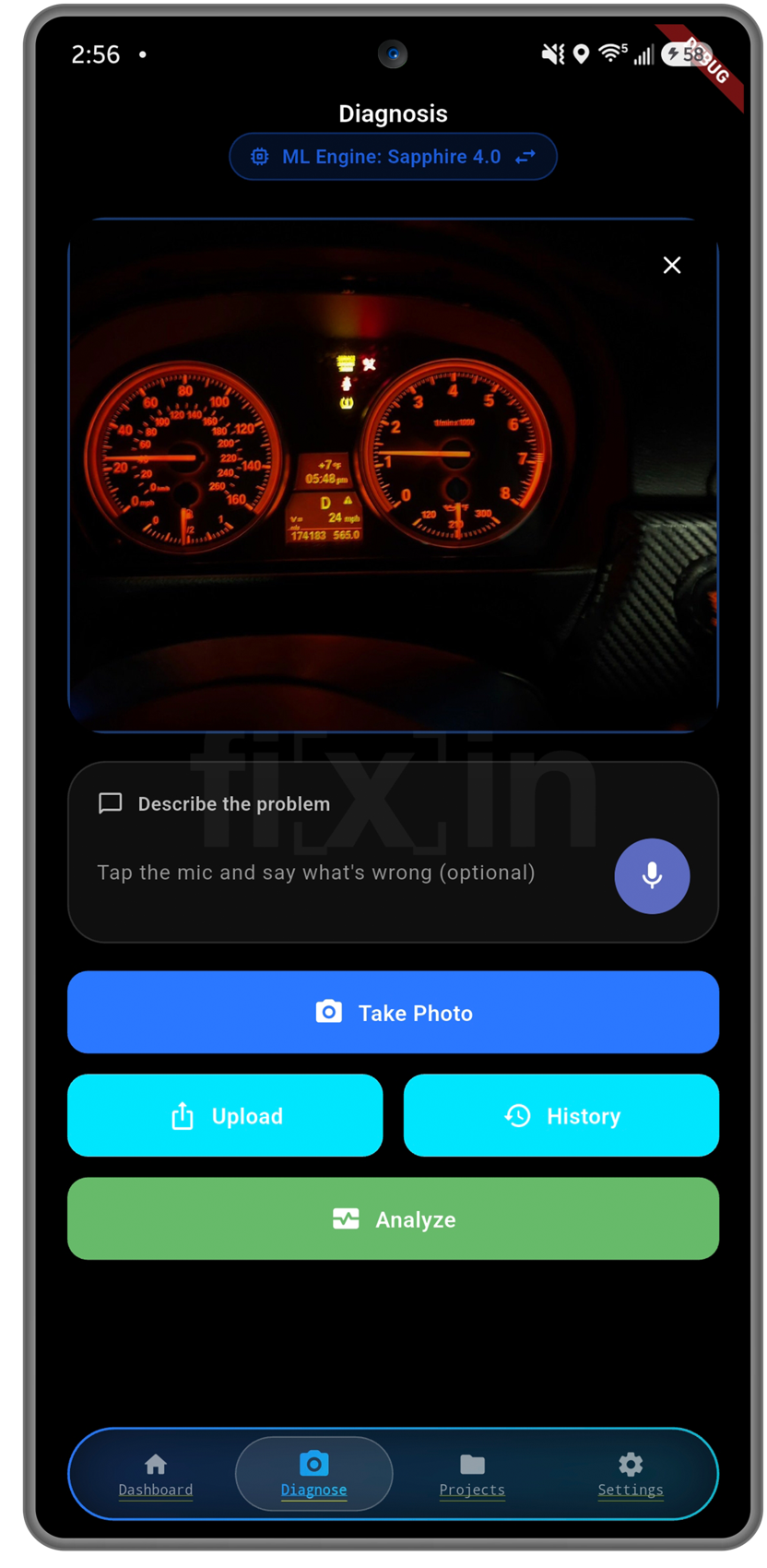
Take the photo in the app or pull one in from your gallery — a warning light, a leak, a cracked fitting, a stain on a ceiling. The shot sits in front of you before anything is analyzed, so you can retake it if the framing is off.
Add a description if the photo doesn't tell the whole story: type it, or tap the mic and say what's wrong. Then hit Analyze and the image is classified on your device — nothing is uploaded to identify it, and it works with no connection at all.
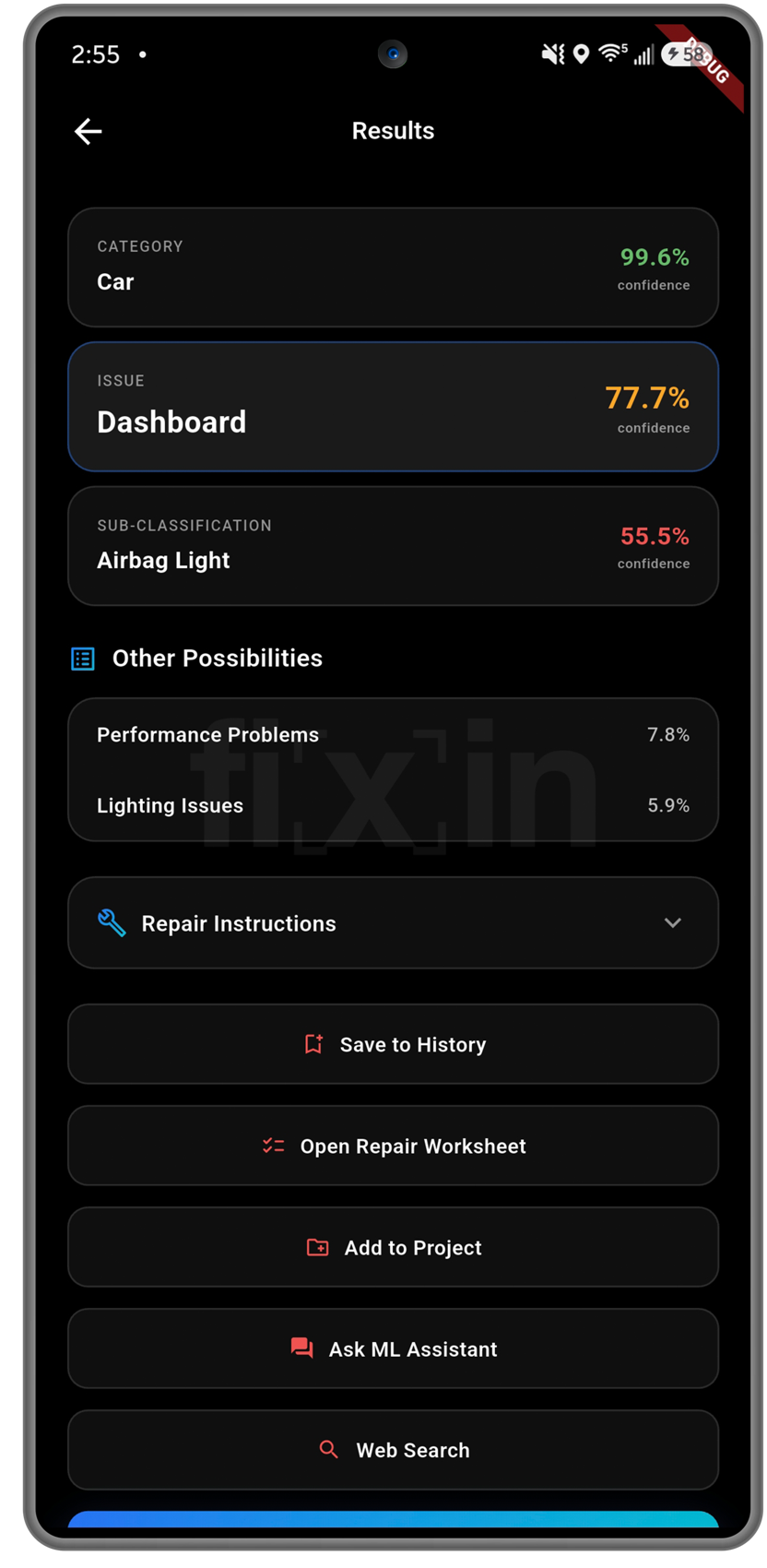
The result comes back as a chain, and every link carries its own confidence: the category it recognised, the issue inside that category, and the specific sub-classification. A high number on the category and a softer one on the sub-classification tells you exactly how far to trust it.
Ranked alternates sit underneath, so a call the model was less sure about doesn't hide the runner-up. From there you can open the repair instructions, start a worksheet, save it to history, file it under a project, or ask the ML assistant about it.
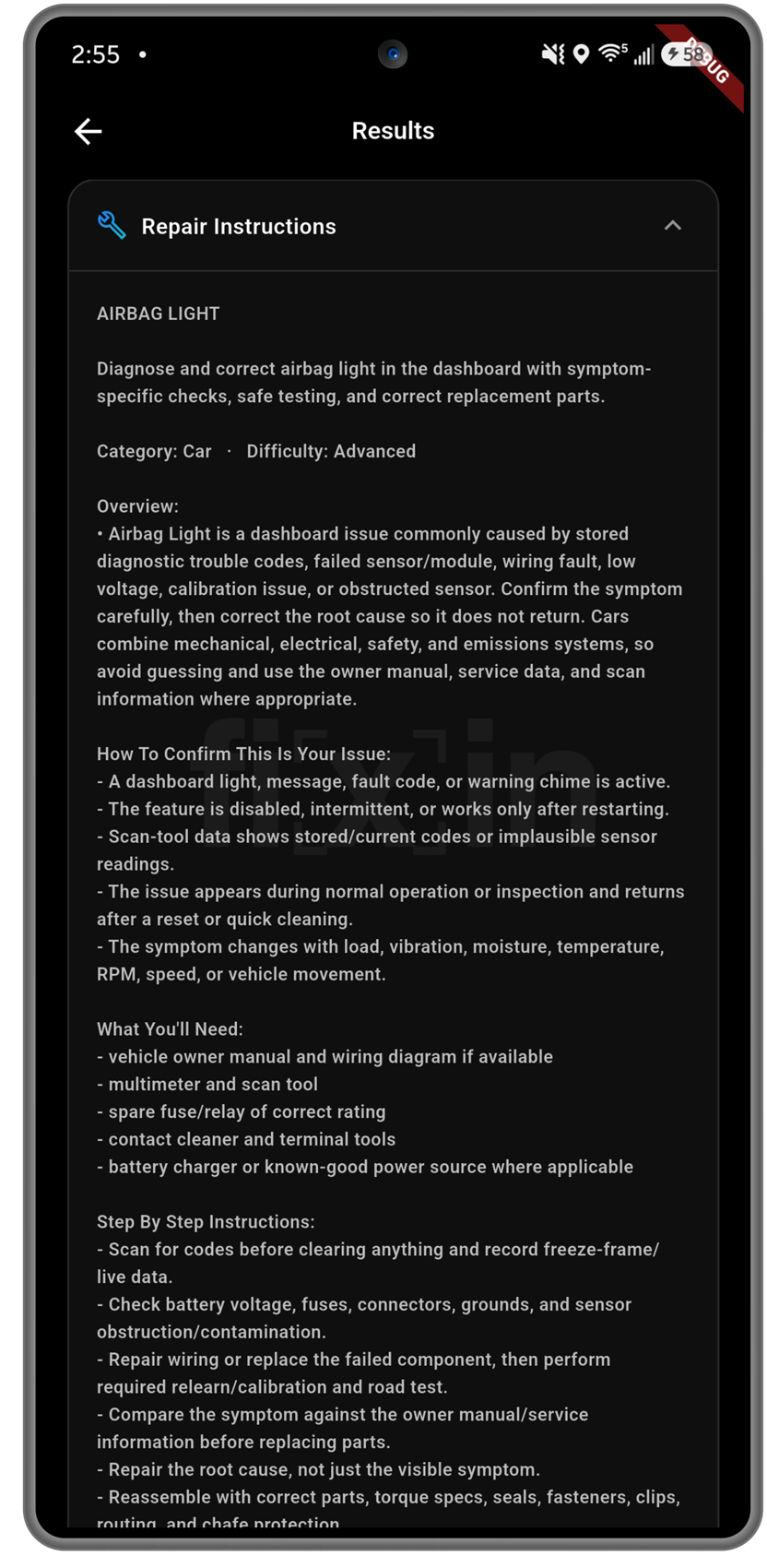
The instructions open with a difficulty rating and an overview of what usually causes this fault, then a How to confirm this is your issue section — the symptoms and scan-tool readings that would back the diagnosis up, or rule it out before you start buying parts.
Then What you'll need — the manuals, meters, and spares for this job specifically — and the step-by-step procedure itself, written for that fault rather than for the category.
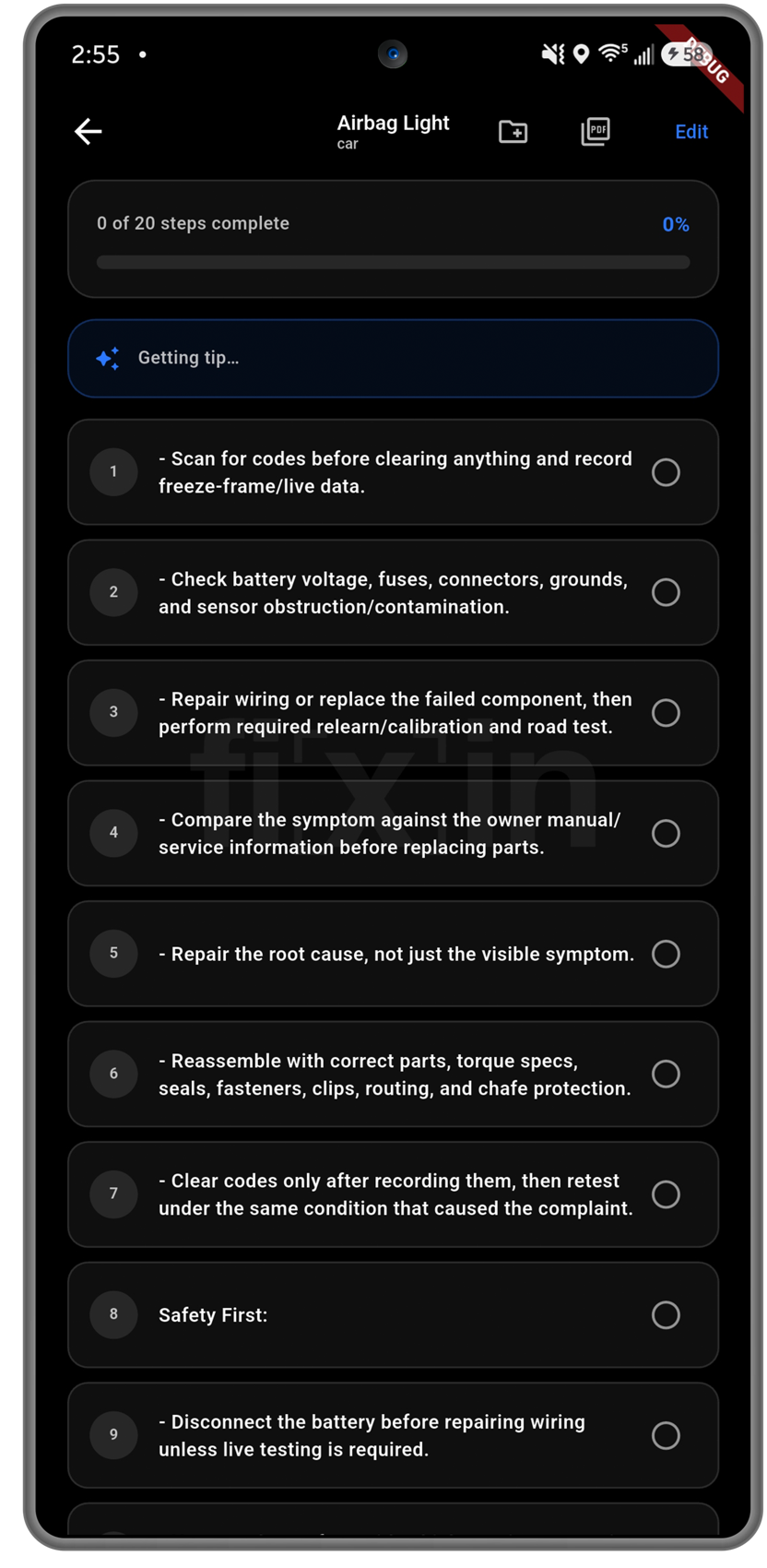
The procedure becomes a numbered worksheet you actually work from. Tick each step off as you go and the counter tracks the job — 0 of 20, 6 of 20 — so putting the phone down for a week doesn't cost you your place.
Coaching tips arrive against the step you're on, and the whole sheet exports to PDF for a customer, an insurer, or the folder in the garage. File it under a project and the record stays with that vehicle, boat, or house.